
What a photo checker can tell you
A passport photo checker can catch the most common rejection risks before you submit or print: wrong size or crop, incorrect head position, a non-white or cluttered background, uneven lighting and shadows, blur, glasses and other face blockers, and file-format problems for digital upload. It cannot issue a passport, submit your application, override government review, or guarantee that a human reviewer will accept the photo. The U.S. Department of State makes the final decision on every photo.
A passing result is a useful preflight check, not proof of acceptance. For example, a sharp, well-framed photo from last year can pass visible checks and still fail the six-month recency rule.
How a passport photo checker actually works
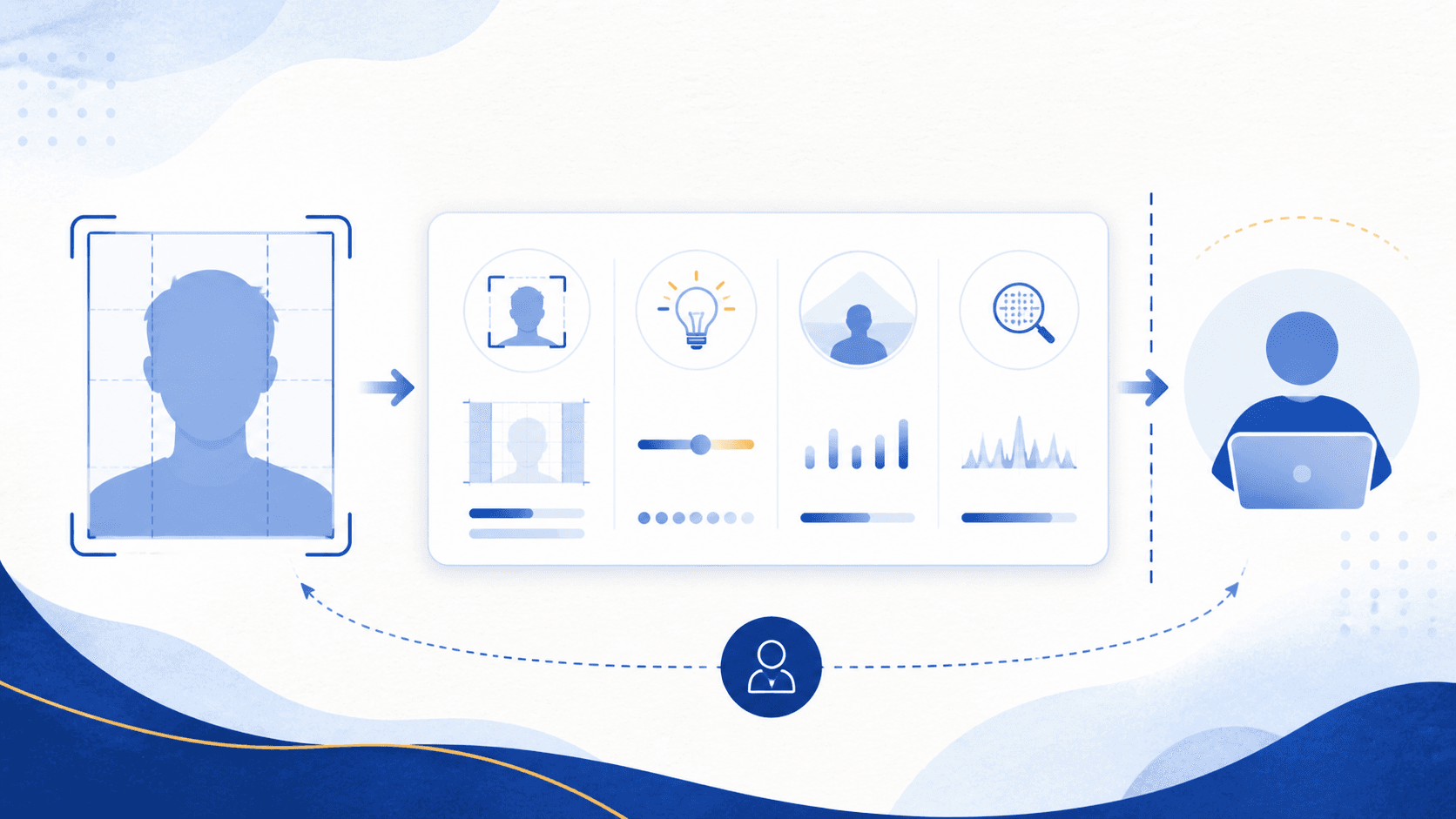
U.S. passport photo rules are mostly visual and measurable, which is why software can check many of them. A checker analyzes the uploaded image against the published State Department requirements: the geometry of the frame, the proportions of the head within it, the uniformity of the background, the sharpness and exposure of the image, and the visibility of the face.
Some rules are fully measurable. Some are partly measurable and need judgment at the margins. And some depend on facts that no software can see in the pixels at all.
| Requirement | Official rule | Can a checker verify it? |
|---|---|---|
| Print size | 2 x 2 inches (51 x 51 mm) | Yes, in the prepared output |
| Head height | 1 to 1 3/8 inches from chin to top of head | Yes, measurable in the frame |
| Digital file specs | Accepted format and file size for the upload portal | Yes, directly from the file |
| Background | Plain white or off-white, no texture, lines, or objects | Mostly; borderline off-white and faint shadows need judgment |
| Lighting | Even light, no shadows on face or background | Mostly; subtle unevenness is a judgment call |
| Expression and eyes | Neutral expression, mouth closed for paper; avoid showing teeth online; eyes open and visible | Partly; borderline expressions need judgment |
| Glasses, hats, blockers | Not allowed except documented exceptions | Mostly; small obstructions can be subtle |
| Photo recency | Taken within the last 6 months | No; the image does not carry proof of when it was taken |
| Original, unedited image | No filters, retouching, background replacement, or AI changes | Only partly; well-made edits are not reliably detectable |
| Identity and exceptions | Medical or religious documentation, unusual cases | No; this is a human, documentary decision |
The last three rows matter most. A checker has to take your word that the photo is recent and unedited, and it cannot rule on exception cases. That is not a weakness of one tool or another; it is the boundary of what any software can know from an image file.
What a checker cannot promise
No third-party checker can approve your passport application. The State Department's own systems illustrate the point: for eligible online renewals, the government's upload tool checks basic requirements at submission, and then a passport agency employee still reviews the photo afterward. If the government's own automated check is followed by human review, no outside tool should claim to be more final than that.
This matters most in edge cases: religious or medical head coverings, recent significant changes in appearance, damaged or low-quality source images, and photos that sit right at a threshold. A good checker reduces avoidable risk on the measurable rules. It should not pretend to replace the official decision on the rest.
The difference between formatting a photo and changing it
There is one distinction worth understanding before you use any passport photo tool, because it separates legitimate preparation from a rejection risk.
Formatting means preparing the photo for its required output without changing what the camera captured: cropping to the correct frame, sizing the head correctly, and producing a compliant print sheet or upload file. The State Department's own online renewal flow lets you reposition and crop an original photo, so formatting is an expected part of the process.
Altering means changing the image itself: smoothing skin, brightening unevenly lit faces, removing red-eye, replacing the background, or using AI to generate or clean up the photo. State Department guidance says not to digitally change the photo — and background replacement can subtly change the outline of your head, face, or neck, which can affect whether the photo meets the identity-photo requirements.
Many photo apps blur this line by quietly "fixing" problems in the image. That can make a non-compliant photo look compliant on screen while creating a new reason for rejection. If the original photo has bad light, red-eye, shadows, or a messy background, the safer answer is to take a new photo. Our guide to common rejection risks covers what to fix before you shoot again.
How PassportSnapper draws the line
PassportSnapper checks and formats your real photo. It does not retouch faces, replace backgrounds, apply filters, or make AI changes. The free check reports the risks it finds. For $8, you can download a 4x6 print sheet or an upload-ready JPEG. You submit your own application, and the State Department decides whether the photo is acceptable.
For the editing boundary, read the AI passport photo rules. For upload requirements, check the online-renewal file size and format guide. Recency, originality, and exception documentation still need your confirmation.
How to use a checker well
- Upload the original file straight from your phone or camera, before any editing app touches it.
- Pick the route that matches your application: a paper application photo or a digital online-renewal photo.
- If the checker flags a problem, retake the photo instead of repairing the image.
- Review the full requirements checklist once before submitting, since you are the only one who can confirm recency and originality.
Questions about photo checks
How accurate is a passport photo checker?
There is no accuracy percentage established here. File dimensions and format can be checked directly, while visual checks can miss problems or flag acceptable photos. Confirm recency and originality yourself, compare the photo with official examples, and treat a passing result as guidance.
Does the State Department check photos itself?
Yes. For eligible online renewals, the government upload tool checks basic requirements, and an employee reviews the photo after submission. A third-party checker helps you catch problems before you reach that review.
Can any tool guarantee my passport photo will be accepted?
No. The final decision always belongs to the U.S. Department of State. Be cautious with any service that promises acceptance; a money-back guarantee is a refund policy, not an approval.
If a checker flags a problem, should I fix it in an editing app?
No. Retake the photo. Filters, retouching, red-eye correction, background replacement, and AI cleanup are not allowed, and edits can create a new rejection risk even when they make the photo look better.