
Can you use an iPhone photo?
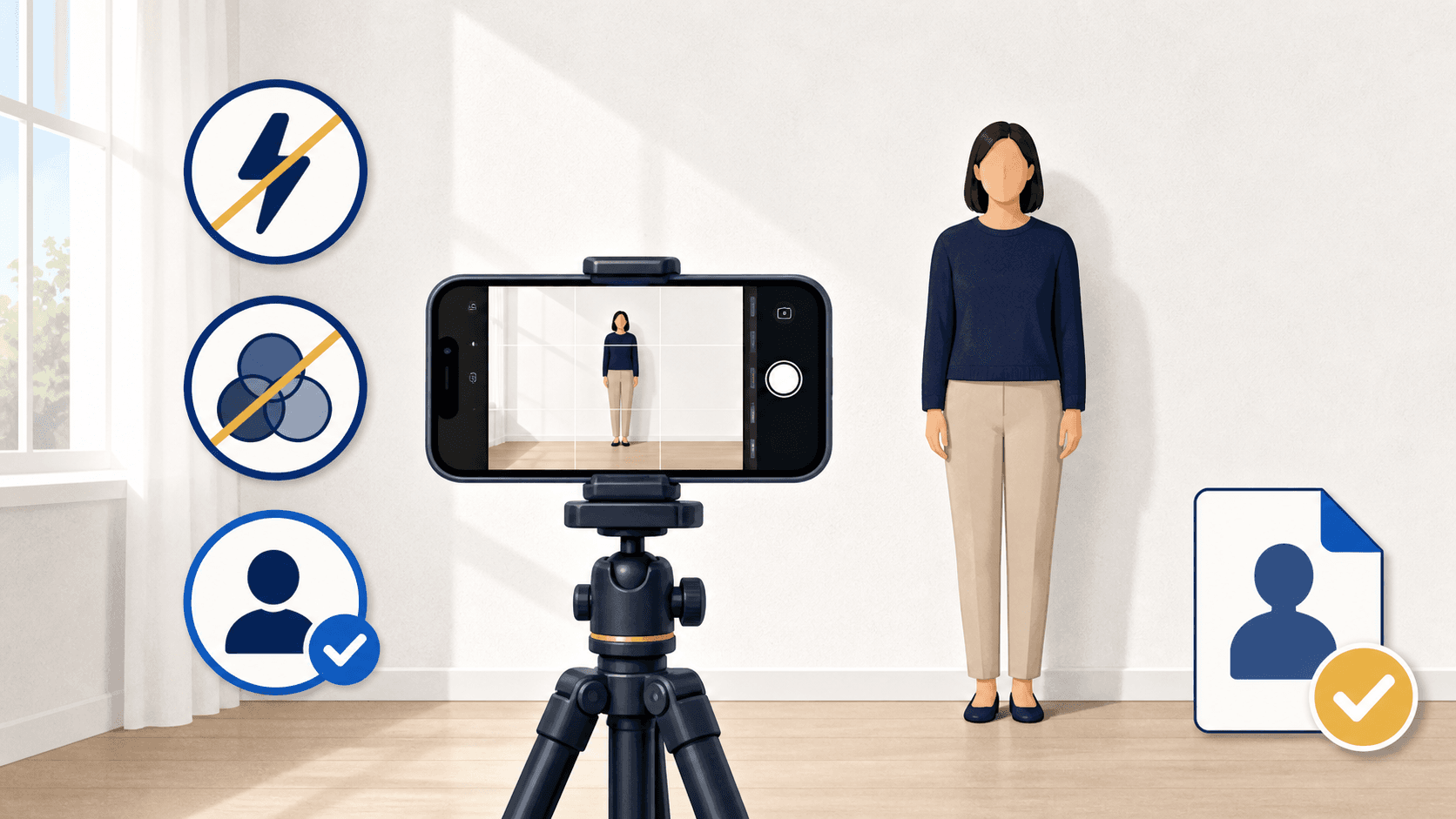
Yes. Any recent iPhone camera is more than good enough for a U.S. passport photo. What decides acceptance is not the hardware but the choices around it: normal Photo mode instead of Portrait mode, no filters or edits, even light against a plain white or off-white background, someone else holding the phone, and the original file kept intact from capture to upload. The photo must also be recent, in color, with eyes visible, glasses off, and a neutral expression or natural closed-mouth smile.
Camera settings that matter
The iPhone camera defaults are mostly fine. A few settings work against you:
| Setting | What to do | Why |
|---|---|---|
| Camera mode | Photo mode, not Portrait mode | Portrait mode artificially blurs the background, which is a digital change |
| Filters and Photographic Styles | Off, or the standard style | Warm and cool styles shift skin tone and background color |
| Flash | Off, use window light instead | Direct flash causes red-eye, glare, and hard shadows behind you |
| Camera | Rear camera, not the front camera | The rear camera is sharper, and someone else should take the photo anyway |
| Zoom | Stand 4 to 6 feet away; use 2x if available | Wide-angle close-ups distort facial proportions |
| Format (HEIC) | Leave it | HEIC is an accepted format for online renewal upload |
The distortion point is the one people miss. An arm's-length shot with the wide lens subtly enlarges the nose and narrows the face — enough to look off next to your previous passport photo. Distance plus a modest zoom keeps proportions natural.
Set up the shot
Stand a few feet in front of a plain white or off-white wall, far enough forward that you do not cast a shadow on it. Face a window with soft daylight so the light hits your face evenly — not from one side, not from overhead. Have someone else hold the phone at your eye level, 4 to 6 feet away, and take several shots.
Head straight, shoulders square, both eyes open, mouth closed, hair out of your face. Remove glasses, hats, headphones, and anything else that blocks the face unless a documented exception applies. Our full at-home guide covers the setup in more detail.
After the shot: hands off the image
This is where compliant iPhone photos usually go wrong. The Photos app makes editing frictionless, and every one of those edits is a problem:
- No auto-enhance. The magic-wand adjustment changes exposure and color.
- No red-eye correction, skin retouching, or background cleanup. State Department guidance says not to digitally alter the photo — if something is wrong, retake it.
- No cropping apps that "make it 2x2" by also smoothing or brightening. Cropping to the required frame is legitimate formatting; bundled beautification is not.
Move the file without degrading it: AirDrop, a cable, or iCloud Photos. Do not text or message it to yourself — the State Department warns that texting can reduce image quality, and messaging apps recompress aggressively. If the upload portal later says your file is too small, a messaging app is the usual culprit; see our file size and format guide.
One photo, two possible outputs
For eligible online renewal, the iPhone's original HEIC or JPEG file is what you upload — keep it on the device or somewhere you can retrieve it losslessly. For a paper application, the same image must become a 2 x 2 inch print on matte or glossy photo-quality paper, with your head sized correctly in the frame.
PassportSnapper checks the photo against the visual rules for free, then produces either output for $8: use the digital passport photo checker for online renewal or the paper application photo checker for a print-ready 4x6 sheet.
iPhone photo questions
Do I need to convert HEIC to JPEG?
No for online renewal — HEIC and HEIF are accepted upload formats. If a print service needs JPEG, convert the format without editing the image content.
Can I take the photo with the front camera?
Use the rear camera with someone else holding the phone. For online renewal, State Department guidance says not to submit a selfie, and front-camera arm's-length shots distort facial proportions.
Can I use Portrait mode for a nicer background?
No. Portrait mode's background blur is a digital effect, and the background must be a real plain white or off-white surface, not a simulated one.
Is an older iPhone good enough?
Almost certainly. Passport photo requirements are modest by modern camera standards. Sharpness, lighting, and framing decide the outcome, not megapixels.
Can I fix uneven lighting in the Photos app?
No. Brightening, shadow lifting, and color correction are digital changes. Move closer to the window, turn off overhead lights, and retake.